Introduction
Two people open the same leave spreadsheet on a busy afternoon. One adds a vacation request, the other marks a sick day, and one save overwrites the other. Nobody notices until the week the affected employee is told their leave was never recorded. Situations like this are small, but they show what happens when a growing team relies on a file that was never designed for shared, careful use.
Many owners reach a point where they ask what a better setup would look like, and what they should check before choosing one. This article is written for that moment. It explains what InOrOff offers, which questions are worth asking about any attendance and leave tool, and which tasks stay with the business whatever software it uses.
What Is InOrOff?
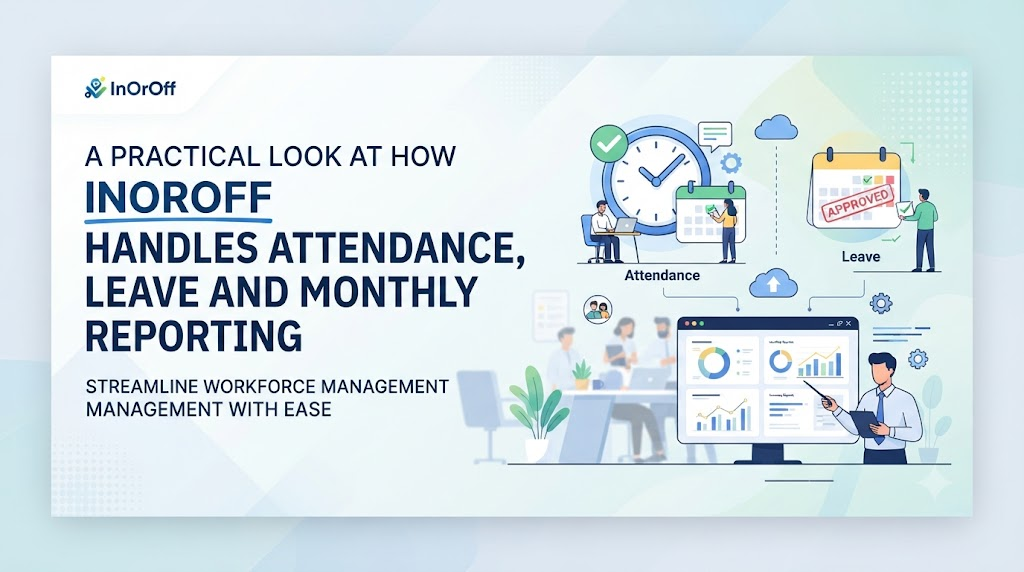
InOrOff is a cloud-based employee attendance and leave management platform for small and growing businesses. It keeps attendance, leave, approvals, work schedules, and reports in one online workspace, so that the people who record time, the people who approve requests, and the people who prepare reports all see the same information.
The platform’s published description supports the following points:
- Attendance: daily records, working hours, breaks, late arrivals, and check-in and check-out activity. Employees record their working hours through a web browser, and the server verifies each timestamp.
- Leave: requests, vacation policies, holiday calendars, leave allowances, and employee absences.
- Approvals: reviewing leave requests, approving or rejecting applications, and managing attendance corrections.
- Paid time off rules: half-day leave, holiday exclusions, accrual policies, carry-forward rules, and leave balance calculations.
- Balances: visibility into available leave, used leave, pending requests, upcoming approved absences, and expiry dates for employees and HR administrators.
- Optional office IP restriction: check-ins and check-outs can be limited to approved office networks, without biometric devices or continuous location tracking.
- Reporting: monthly attendance summaries, reviewed corrections, and versioned CSV and PDF exports that can support external payroll processing.
In daily HR work, this means the same screen can answer questions like “who is off on Friday?” and “was this entry corrected?” The platform handles the records that come before payroll. It is not described as calculating pay.
Why Businesses Need Better Attendance and Leave Records
Informal methods usually work at five people and begin to strain at fifteen. These are the typical strain points.
Inconsistent formats. One manager types times as “9.15” and another writes “9:15 am.” Small differences make totals harder to trust and comparisons harder to make.
Partial information on lateness, hours, and breaks. When breaks are recorded only some of the time, a day’s working hours become an estimate. That is fine until two people disagree about what the estimate should have been.
Unclear request status. A request is made on Monday, a manager nods on Tuesday, and nothing is written down. By Friday the employee believes it was approved and the manager believes it is still open.
Balances that need constant rework. If balances are updated by hand, every holiday and half-day becomes a chance for a slip. The slip is usually found only when someone asks about their remaining days.
Preparing payroll information in a hurry. Pulling hours and absences from several places late in the month leaves little room for checking.
Corrections without a note. An entry is changed and nobody records why. Later, the change looks like a mystery, even if it was perfectly reasonable.
A partial picture for teams. Managers cannot easily see overlapping absences, and employees cannot see their own position without asking.
These patterns are common but not universal, and software does not guarantee they will disappear. A shared system with clear rules makes them easier to spot and handle.
Main Detailed Content About InOrOff
Keeping Track of Daily Attendance
When looking at Employee Attendance Management Software, the first thing to check is whether it records the basics in a consistent way: start, finish, breaks, and lateness. InOrOff covers these, so every employee’s day is captured with the same fields.
Consistency matters because it makes oddities visible. A day with no finish time, or a week where one person’s hours look very different from the rest, is easier to notice in a uniform record. What the software cannot supply is your definition of “on time,” your break rules, or the person who looks into unusual entries. Settle those first, and the tool will reflect them.
Handling Leave Requests and Absences Centrally
Employee Leave Management Software should do more than store requests. A useful system also holds the policies, holiday calendar, and allowances that decide what a request means. InOrOff brings together leave requests, vacation policies, holiday calendars, leave allowances, and absences in one workspace.
Before using any such system, write down your leave types, who qualifies for each, and who approves. Questions that seem obvious in a small team, such as whether unpaid leave needs approval, become awkward when left unanswered. The software gives those answers a place to live. It does not provide them for you.
Seeing Attendance and Leave Side by Side
An Attendance and Leave Management System is useful because a worked day and an absence belong to the same story. Seeing both together prevents a day from being counted as both worked and away, or from being missed entirely.
It also cuts down on the back-and-forth between files. Even so, a connected system still depends on entries being right and on corrections being made soon after a problem appears. A shared record helps people find errors, but it does not find them on its own.
Questions to Ask When Choosing for a Small Team
For Time and Attendance Software for Small Business use, a short list of questions helps more than a long list of features:
- Could a new employee use it with a few minutes of guidance?
- Does it fit how your schedules really run, whether fixed hours or rotating shifts?
- What is the process when someone’s entry is wrong?
- Can you get the monthly report in a form your payroll process can use?
- What do employees see, and what do only managers see?
- What personal data is held, and who can open it?
- Does the subscription match your headcount today?
Test your answers against the way your team actually works, not an imagined future. InOrOff offers subscription plans, but no prices or comparisons with other products are claimed here.
Recording the Start and End of Work
Employee Check In Check Out Software exists to answer a simple question: when did this person start and stop? With InOrOff, employees record their time in a web browser, and the server verifies the timestamp. The time on file is therefore the system’s time, rather than a number typed in after the fact.
Some gaps remain. Someone forgets to check out. Two people share one computer. A schedule is unclear about when a shift counts as starting. A person needs to review such cases. Also keep in mind what the description does not say: it does not mention GPS or biometric checks, and no tool can automatically catch every problem.
Giving Managers One Queue for Leave Decisions
Leave Approval Workflow Software gathers leave requests, manager decisions, and attendance corrections in one place. For a manager, that is the difference between opening a single list and searching through email, chat, and notes.
Each request carries a status, whether pending, approved, or rejected, so employees can see where they stand. Responsibility is clearer too, because the person who must decide is known. Fairness is the part the tool cannot provide. Managers should apply one standard to every request and explain a refusal so that decisions do not feel arbitrary.
Making Sense of PTO and Leave Rules
PTO Tracking Software earns its place when leave rules have several moving parts. InOrOff supports half-day leave, holiday exclusions, accrual policies, carry-forward rules, and leave balance calculations.
Think of how these combine. Leave builds up through the year, someone takes a half-day, a public holiday sits inside a longer absence, and at year end some unused days carry over up to a limit. A system that applies each rule in the same order every time removes a lot of manual counting.
The accuracy depends on the settings. They should follow the company’s policy and the employment rules where it operates, which vary from place to place. No leave policy fits all organizations, so when something is uncertain, check it with a qualified adviser.
Using Approved Networks to Control Where Attendance Is Recorded
An Office IP Attendance System ties check-ins and check-outs to networks the business has approved. InOrOff offers this as an optional feature. When turned on, attendance can be recorded only from those networks.
This is different from fingerprint readers or tracking someone’s location through the day. Only the network connection is checked. There are limits, though. An IP address does not prove an exact physical location, and the rule cannot prevent every kind of attendance fraud. Questions to settle early include who updates the approved networks if the office changes provider, how employees working from home record attendance, and who may grant an exception.
Preparing Records for a Payroll Run
Payroll Ready Attendance Software means attendance and leave information is gathered in a form that someone can use for payroll preparation. InOrOff offers monthly attendance summaries, reviewed corrections, and versioned CSV and PDF exports that can support external payroll processing.
An export is a report, not a payout. The description does not say that InOrOff calculates wages, taxes, deductions, or salaries, so those steps remain part of the business’s own payroll method.
It helps to build a short review into the routine: read the summary, check hours against expectations, confirm approved leave, and clear missing entries. Finding an error before the file leaves the HR desk is much easier than reversing a payment later.
Making Remaining Leave Visible
An Employee Leave Balance Tracker lets employees and HR administrators see available leave, used leave, pending requests, approved absences ahead, and approaching expiry dates in one view.
When people can see their own position, planning gets easier and HR receives fewer routine questions. It also makes the process feel more even-handed. The condition is that the numbers are right. Accrual settings, carry-forward rules, and holiday exclusions must be correct, and approved leave should be recorded promptly. A tidy display on top of a wrong setting is worse than a rough figure that people know to double-check.
Treating Personal Records Carefully
Attendance and leave data say a lot about people’s working lives, so they should be handled with care. Good practice includes:
- Allowing access only to those who need it for their roles.
- Using a clear correction process instead of informal edits.
- Reviewing any export before it is shared, and sharing it only with the right people.
- Gathering only the information required for legitimate workforce administration.
InOrOff describes a privacy-focused approach, and its optional network restriction avoids biometric devices and continuous location tracking. No claims are made here about encryption methods, certifications, audits, or legal compliance, since none were stated. If these matter to your business, ask the provider directly.
How a Business Can Organize Its Workforce Records
This is a general approach for any business. It does not mean InOrOff automates every step.
- Decide the rules. List working schedules, leave types, holidays, and who gives approval. Put them in writing before opening any settings.
- Enter the people and policies. Set up each employee and attach the matching attendance and leave rules. Try a sample case to see if balances come out as expected.
- Teach the routine. Show employees how to record attendance and request leave. A one-page guide is often enough.
- Schedule reviews. Choose who looks at corrections, approvals, and balances, and how often.
- Read the monthly report before using it. Check the summary and fix gaps before any figures go into payroll preparation.
Attendance and Leave Management Problems to Watch For
Some mistakes come from unclear rules. If “late” or “emergency leave” is not defined, every case becomes a debate, so write the definitions down. An out-of-date holiday calendar throws off both leave counts and staffing plans, so update it at the start of each year and whenever a closure is added. Approving leave before checking the policy may feel helpful, but it can set an unfair precedent, so look up the rule first.
Other mistakes come from loose handling of data. A missing check-in or check-out left unaddressed weakens the whole record, so follow up within the week. Corrections that nobody reviews may hide errors or misuse, so give one person that job. Wrong accrual or carry-forward settings repeat for every affected employee, so test them with a sample before trusting balances.
The last group involves what happens after the data leaves the system. A payroll export sent without a check can carry errors into pay, so read it first. And records shared too widely put personal details in front of people who do not need them, so limit access by role and review it from time to time. Clear rules, regular reviews, and careful treatment of personal information prevent most of these.
How a Small Business Could Improve Its Records
Imagine a distribution company with an office team of 16. A part-time HR administrator keeps three files: an attendance sheet, a leave tracker that two managers also edit, and a monthly summary built for the payroll provider. Overlapping edits cause lost entries, and the administrator spends the last days of each month confirming which leave was actually approved.
Now suppose the company moves attendance, leave requests, and balances into a single workflow. Staff record check-ins and check-outs in a browser. Leave requests land in a manager’s queue with a clear status, and balances change as requests are approved. A few days before month end, the administrator opens the monthly summary, reviews corrections, and exports a CSV or PDF for the payroll provider.
The administrator’s job does not disappear, since rules still need writing and numbers still need checking. But two people no longer overwrite each other, and the answer to “what was approved?” is in one place. That is the kind of modest, practical improvement a shared system can make, with no figures promised.
Common Questions About Attendance and Leave Management
Who is a system like this designed for?
It is designed for small and growing businesses that need organized attendance and leave records without a large HR team. Owners, managers, HR staff, and employees each use it for different tasks.
Does a business need to buy special hardware?
The description states that employees record working hours through a web browser. It does not say that special attendance hardware is required.
Can the system calculate salaries?
The description does not say that it does. It offers monthly summaries and exports that can support external payroll processing, but pay calculation stays with the business’s own payroll method.
What should a business decide before setting up any attendance tool?
Decide on work schedules, leave types, holidays, approval roles, and how corrections will be handled. The tool then follows those decisions.
How are mistakes in attendance entries fixed?
Through a correction process that a manager or administrator reviews. Having the steps written down makes fixing mistakes faster and the history easier to trace.
What is the benefit of seeing pending and approved leave together?
It prevents double-booking and surprise absences, and it helps managers plan coverage. Employees also know where their requests stand.
Is an office network restriction right for every business?
Not necessarily. It suits offices that want check-ins from approved networks, but it needs a policy for remote work and exceptions, and an IP address does not prove an exact location.
Conclusion
Choosing how to keep attendance and leave records is partly a technology decision and partly a decision about how a business wants to treat its people. Tools like InOrOff can put check-ins, approvals, balances, and monthly exports into one workspace, which suits smaller teams that have outgrown shared spreadsheets. What decides whether the change helps is everything around the tool: policies that are written down, managers who apply them evenly, a habit of reviewing corrections, and a careful look at every report before it feeds into pay. A business that settles those points first will find that almost any well-built system serves it better, and one that skips them will find the same old confusion in a new place.