Introduction
Tax season can feel confusing. Between gathering salary slips, investment proofs, and bank statements, it is easy to miss a few details. One of the most important documents you need before you file your taxes is Form 26AS.
Many beginners hear this term for the first time when their employer or chartered accountant asks for it. At first glance, the name sounds like a complex government code. Because of this, people often ignore it or assume someone else is handling it.
Ignoring Form 26AS can lead to serious problems. If the tax deducted from your salary or bank interest is not correctly recorded by the government, your tax return might get flagged. This guide breaks down what Form 26AS is, why it matters, and how you can read and check yours without stress.
What Is Form 26AS?
Form 26AS is an annual tax statement linked to your PAN. You can view it as a consolidated statement of all tax-related information associated with you.
When someone pays you salary, rent, or professional fees, they often deduct a portion of it as tax before handing you the rest. This is called Tax Deducted at Source (TDS). Similarly, if you pay advance tax or self-assessment tax, those payments are recorded here.
Why It Matters
The Income Tax Department uses Form 26AS to cross-check the claims you make in your tax return. If you claim that a company deducted ten thousand rupees of tax from your income, the government looks at your Form 26AS to confirm that the company actually deposited that money into the government treasury.
Example
Imagine you work as a freelance designer. A client pays you fifty thousand rupees but deducts five thousand rupees as TDS, giving you forty-five thousand rupees. That client must deposit your five thousand rupees with the government and link it to your PAN. Form 26AS is where that deposit shows up. If the client forgets or delays depositing it, your form will show a mismatch, which you can then catch and fix early.
How Form 26AS Works
The functioning of Form 26AS relies on a chain of reporting between deductors (like your employer or bank), the banking system, and the Income Tax Department database.
- Deduction: A deductor deducts tax from a payment made to you.
- Deposit: The deductor deposits that tax into the government account using your PAN.
- Reporting: The deductor files a quarterly TDS return detailing your PAN and the amount deducted.
- Consolidation: The income tax system updates your Form 26AS automatically based on those quarterly returns.
The Role of Annual Information Statement (AIS)
You might also hear about the Annual Information Statement (AIS). While Form 26AS focuses strictly on taxes deducted, collected, and paid, AIS is a broader report. It includes your financial transactions, such as high-value stock market trades, mutual fund purchases, dividend earnings, and foreign remittances. Both documents work together to give a complete picture of your financial profile.
Why Form 26AS Is Crucial for Taxpayers
Skipping a review of your Form 26AS before filing your taxes is one of the most common reasons taxpayers receive notices from the tax department. Here is why you must check it:
- TDS Credit Verification: It guarantees you get credit for every rupee of tax already paid on your behalf.
- Error Detection: It helps you spot if an employer, bank, or tenant deducted your tax but failed to deposit it with the government.
- High-Value Transaction Check: It records major financial activities that the tax authorities monitor.
- Loan and Visa Approvals: Many financial institutions ask for tax documents, and having a clean, verified tax record makes your financial standing clear.
Key Parts of Form 26AS
Form 26AS is divided into different sections, marked by letters from Part A to Part I. You do not need to memorize every single part, but understanding the main sections makes reading it simple:
- Part A: Details of Tax Deducted at Source (TDS). This covers salary, bank interest, and professional payments.
- Part A1: Details of TDS for Form 15G or 15H (where tax was not deducted because your income was below the taxable limit).
- Part A2: Details of TDS on the sale of immovable property (relevant if you sold a house or land).
- Part B: Details of Tax Collected at Source (TCS) (collected by sellers on certain high-value goods or services).
- Part C: Details of tax paid directly by you (Advance Tax or Self-Assessment Tax).
- Part D: Details of refund received during the financial year.
- Part E: Details of high-value financial transactions (in certain older formats, though largely moved to AIS now).
Common Mistakes to Avoid
Even seasoned taxpayers make mistakes when dealing with tax documents. Avoiding these common pitfalls will save you time and trouble:
- Filing ITR Without Matching 26AS: People often file returns based solely on their salary slips (Form 16) without checking if the employer actually deposited the TDS. Always match Form 16 figures with Part A of Form 26AS.
- Ignoring Small Mismatches: Even a minor difference in TDS amounts can trigger an automated mismatch notice from the tax department. Address discrepancies immediately.
- Delaying Corrections: If a deductor has made an error in your PAN or deposit amount, correcting it takes time. Do not wait until the final week before the tax filing deadline to check your form.
Risks and Limitations
While Form 26AS is a powerful tool, it has limitations that you should keep in mind:
- Dependency on Third Parties: If your employer, bank, or client delays filing their TDS returns, your Form 26AS will not reflect the correct data immediately. The system relies entirely on them doing their part on time.
- Not a Complete Income Statement: Form 26AS only tracks taxed transactions and specific payments. It does not list cash income or untaxed earnings, which is why other financial records are still necessary.
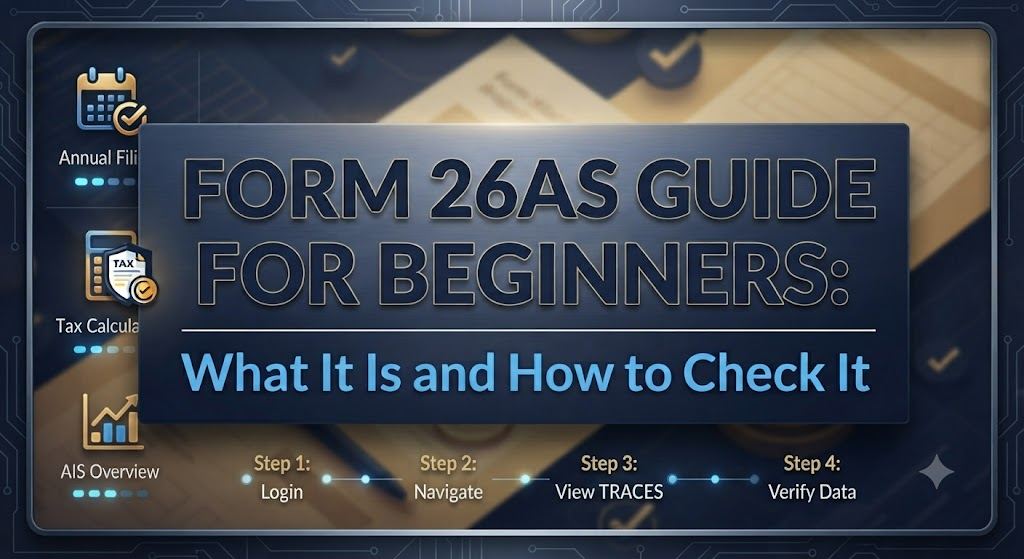
Step-by-Step Guide: How to View and Download Form 26AS
You can access your Form 26AS directly through the official Indian Income Tax e-filing portal or via your net banking facility. Here is the easiest way through the income tax portal:
- Log In: Visit the official e-filing portal of the Income Tax Department and log in using your PAN, password, and captcha.
- Navigate to e-File: Go to the top menu bar, click on e-File, select Income Tax Returns, and then click on View Form 26AS.
- Redirect to TRACES: The website will prompt you to confirm redirection to the TRACES (Taxes Reconciliation, Correction and Analysis Ecosystem) website. Click Confirm.
- Accept and Proceed: On the TRACES portal, accept the terms of use agreement and click on Proceed.
- View/Download: Click on View Tax Credit (Form 26AS). Select the relevant Assessment Year (AY) and choose the view format (HTML or Text). You can also download it as a PDF file for your records.
Checklist Before Filing Your Taxes
Use this quick checklist to ensure your tax documentation is solid:
- Download the latest version of Form 26AS for the relevant financial year.
- Verify that your PAN and personal details on the form are accurate.
- Cross-check Part A of Form 26AS with your salary certificates (Form 16) and bank interest certificates.
- Confirm that all advance tax or self-assessment tax payments appear under Part C.
- Contact your employer or bank immediately if you notice any missing TDS entries.
Key Terms
- PAN (Permanent Account Number): A unique ten-character alphanumeric number issued by the Income Tax Department to track financial transactions.
- TDS (Tax Deducted at Source): A system where tax is deducted right at the time of making a payment like salary or interest.
- TCS (Tax Collected at Source): Tax collected by a seller from the buyer at the time of sale for specific goods or services.
- Form 16: A certificate issued by your employer detailing your salary breakdown and the TDS deducted during the year.
- Assessment Year (AY): The year in which income earned in the previous financial year is evaluated and taxed.
- TRACES: The official web portal used for tracking and reconciling tax deducted at source in India.
FAQs
1. Is Form 26AS the same as Form 16?
No. Form 16 is a certificate given by your employer showing your salary and tax deductions. Form 26AS is a comprehensive government statement showing all tax credits linked to your PAN from all sources, including banks, employers, and clients.
2. Can I view Form 26AS through my bank account?
Yes. Most major banks in India offer an option to view and download Form 26AS directly through their net banking dashboards under the tax or service request sections, redirecting you securely to the government portal.
3. What should I do if my TDS is missing from Form 26AS?
First, contact the person or organization that deducted the tax (your employer or bank) and ask them if they have filed their quarterly TDS return and quoted your correct PAN. If they made an error, they must file a corrected TDS statement.
4. Is there a password to open the downloaded Form 26AS PDF?
Yes. If you download Form 26AS as a PDF file from the TRACES portal, it is usually password-protected. The password is typically your Date of Birth in the format DDMMYYYY.
5. Do I need Form 26AS if I had zero taxable income?
If you had no taxable income and no tax was deducted anywhere, your Form 26AS will be blank or show no tax credits. However, checking it ensures that no unexpected transactions or incorrect deductions were mistakenly linked to your PAN.
6. How many years of Form 26AS can I view?
You can generally view and download Form 26AS for multiple past assessment years depending on availability on the portal, which usually covers several years of historical tax data.
Conclusion
Form 26AS is much more than a routine government document. It acts as your personal financial shield during tax season, letting you verify that every rupee of tax you paid or that was deducted on your behalf is safely accounted for by the government.
By taking a few minutes to download and review your statement before filing your returns, you protect yourself against mismatches, avoid unnecessary tax notices, and ensure a smooth, hassle-free tax filing experience.