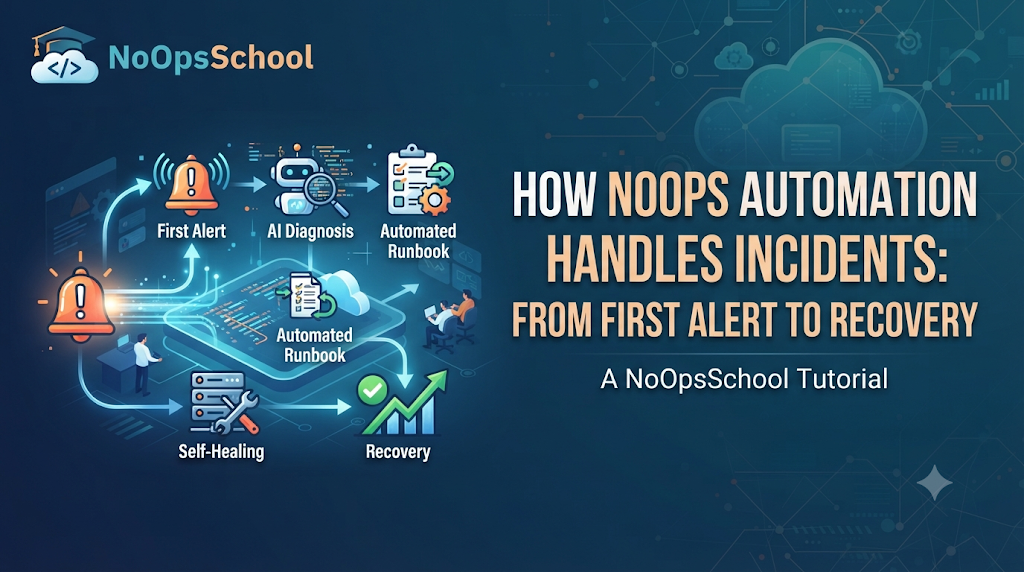
Most people judge an online service by how it behaves on its worst day. Anyone can run a system when everything is calm. The real test is what happens when a release goes wrong, a database slows down, or traffic jumps far above normal.
This article follows one made-up incident from the first warning sign to recovery. Along the way, it shows what NoOps automation tools can do, what they cannot do, and why people still matter at every stage.
A Quick Definition
If you are new to the idea, what is NoOps? It is an approach where automation and managed cloud services take over routine operational work, so people can spend more time on design, safety, and improvement. It does not mean operations disappear. It means fewer tasks depend on someone typing commands at 3 a.m.
The Incident Timeline
Imagine an investing app that releases a new version at 10:00 a.m. This is an example, not a real case. Here is how a well-automated setup might respond.
Minute 0: A release goes out.
The pipeline has already run tests. It now releases the new version to a small share of users first. This is called a canary release. If the version is faulty, only a few users are affected.
Minute 2: Metrics begin to shift.
Monitoring tools such as Prometheus are collecting numbers every few seconds. Error rates for the canary version are higher than for the old version. Slow responses start to appear.
Minute 3: The alert rule fires.
A rule compares the canary’s error rate against a target. The target might say that no more than a small share of requests may fail. When the limit is crossed, Alertmanager or a similar tool sends a notification. Good alerts describe the effect on users, such as failed logins, instead of just reporting that a server is busy.
Minute 4: Automated rollback.
A progressive delivery tool, such as Argo Rollouts, can pause or reverse the release when a measured threshold is crossed. Traffic goes back to the previous version. The faulty release never reaches most users.
Minute 6: A person reviews.
An engineer receives a message with the key facts: what changed, which metric failed, and where the logs are. The system acted quickly, but a human now decides what to fix and when to try again.
Hours later: Learning.
The team writes a short review. What caught the problem? What was slow to notice? Which rule needs adjusting? This step turns one incident into lasting improvement.
Notice what happened. Automation handled detection and rollback. People handled understanding and improvement.
What Automation Can and Cannot Do
| Situation | What automation handles well | What still needs people |
|---|---|---|
| Failed container | Restart or replace it automatically | Find out why it keeps failing |
| Traffic spike | Add capacity within set limits | Decide the limits and review costs |
| Bad release | Roll back based on clear metrics | Fix the code and decide when to retry |
| Disk filling up | Clear temporary files or add space | Understand the root cause |
| Security alert | Isolate a resource, block known bad traffic | Investigate and judge real impact |
| Unknown new failure | Collect logs and context | Diagnose, decide, and communicate |
The pattern is simple. Automation is strong on known problems with clear rules. Unfamiliar problems need human thinking.
The Building Blocks Behind the Timeline
Health checks and self-healing
Kubernetes uses liveness and readiness probes to check whether a container is alive and ready for traffic. If a container fails its check, it is restarted, or taken out of rotation until it recovers. This is the most basic form of self-healing infrastructure.
Autoscaling with limits
Horizontal scaling adds or removes copies of an application as load changes. Every automatic scaler needs a minimum, a maximum, and a budget alert. Without a maximum, a fault or attack can lead to unexpected costs.
Runbook automation
A runbook is a written set of steps for a known problem. Many teams turn the safest steps into automated actions. Tools such as AWS Systems Manager Automation or Ansible playbooks can run these steps on demand or in response to an alert. Start with low-risk actions, like collecting diagnostic data, before automating anything that changes production.
Resilience in the application itself
Infrastructure automation cannot fix everything. Applications also need good habits: timeouts, retries with waiting periods between attempts, and circuit breakers that stop calling a failing service. Without these, one slow dependency can drag down the whole system.
Practice failures on purpose
Chaos engineering tools, such as Chaos Mesh or LitmusChaos, let teams inject controlled failures in test environments. This shows whether alerts fire and recovery works before a real problem arrives. Start small and in a safe environment.
A Maturity Ladder for Incident Response
Most teams move through stages. Knowing where you are helps you pick the next step.
- Manual. People notice problems from user complaints and fix them by hand.
- Alerted. Monitoring detects issues and notifies the right person.
- Guided. Alerts include context and link to runbooks, so responders move faster.
- Assisted automation. Safe, well-tested fixes run automatically, with people approving risky ones.
- Mostly automated for known failures. Common problems resolve on their own, and people focus on new ones and improvement.
Jumping straight to the last stage is a common mistake. Each step builds the trust and data needed for the next.
Where AIOps Fits
AIOps tools use pattern detection and machine learning to group related alerts, spot unusual behavior, and suggest likely causes. They can reduce noise when a single fault creates hundreds of alerts. But their suggestions need checking. They are only as good as the data they see, and they can miss rare or brand-new failure types. Treat them as a helper to the on-call engineer, not a replacement.
Why NoOps Does Not Remove Accountability
Faster recovery is attractive, but it does not remove responsibility. Teams still need:
- Clear ownership of each service and alert.
- Access controls so automation tools hold only the permissions they need.
- Audit trails showing what changed and who approved it.
- Tested rollback paths.
- Regular reviews of alert rules, since systems and traffic patterns change.
Organizations in regulated industries must also follow the rules set by their regulators. Automation can make evidence easier to collect, but compliance decisions stay with the people responsible.
NoOps vs DevOps in Incident Work
The NoOps vs DevOps question often comes up here. In DevOps, developers and operators share the job of handling incidents. NoOps pushes more of the routine response into automated systems. In practice, the two work together. Shared ownership, good reviews, and clear communication are DevOps habits, and automation makes them faster.
Skills the Work Requires
Building this kind of setup takes real depth: Linux, networking, containers, Kubernetes, infrastructure as code, monitoring, and security. Learners who want a structured path can look at role-based options. NoOpsSchool, for example, describes programs and certification tracks for NoOps engineers, architects, managers, and professionals. If you compare options for NoOps engineer certification, look for hands-on labs that include failure and recovery exercises. If you design systems, NoOps architect training should cover trade-offs such as cost, safety, and complexity. Check each provider’s official page for exam and validity details before you decide.
Organizations that lack these skills sometimes use outside help. NoOps consulting services can include an operations assessment and an automation plan. If you plan to hire NoOps freelancers, test their experience with the exact tools you use and ask how they would handle a failed automation. Be careful with anyone who promises zero downtime.
Common Mistakes
- Automating a fix before the cause is understood.
- Giving automation tools broad permissions.
- Creating too many alerts, so people begin to ignore them.
- Never testing the rollback path.
- Skipping the written review after an incident.
Questions People Ask
Can automation fix every incident?
No. It handles known, well-defined problems. New and unclear failures need human diagnosis.
What should I automate first?
Start with safe actions like collecting logs and restarting a failed, stateless service.
How do I avoid too many alerts?
Alert on user impact and clear thresholds, and review rules regularly.
Is a rollback always safe?
Not always. Database changes and data format updates can make a simple rollback risky, so plan for them.
Does faster recovery mean fewer staff?
Not necessarily. Teams often shift their time toward prevention and design.
Closing Thoughts
Strong incident response is a mix of good tools, clear rules, and calm people. Automation shortens the time between “something is wrong” and “something is being done,” and that gap often matters most. But the rules it follows come from people, and the lessons from each incident come from people too.
If you want to improve, pick one common failure your team faces. Write down how it is detected and fixed today. Automate the safest part, test it in a safe environment, and review what happened after a real event. Repeat the cycle in small steps.
Over time, you will build a system that recovers faster, wakes fewer people at night, and gives your team more time for work that actually moves the product forward. Keep a person responsible for every automated action, and the speed you gain will come with the control you need.