An engineer writes code, uploads it to a single mobile test unit, and watches the machine navigate a laboratory floor without hitting a wall. That milestone feels like the finish line.
In reality, it is only the starting line.
Deploying that same machine into a commercial warehouse with fifty other active units changes everything. Suddenly, a battery cell degrades unexpectedly, a wireless dead zone freezes navigation nodes, and a bad software patch halts production across the entire floor. Troubleshooting each unit by plugging in a physical cable no longer works.
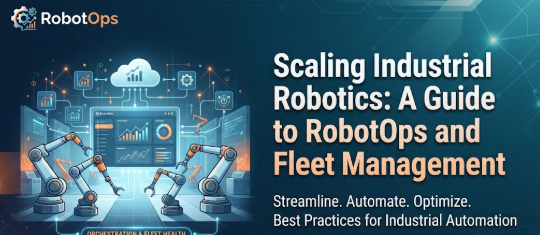
Managing physical machines at scale requires treating robotics as a distributed software network. This operational shift demands a dedicated approach to RobotOps, bridging the gap between mechanical engineering and automated system administration.
What is RobotOps?
RobotOps applies modern software operations and DevOps principles to physical robotic systems.
A robot is not just a metal chassis and a spinning motor. It is a complex cluster of compute units, sensors, and actuators running real-time software.
A standard production setup includes:
- Embedded operating systems and middleware handling communication.
- Perception systems streaming massive amounts of camera and LiDAR data.
- Navigation stacks processing local maps and obstacle avoidance routes.
- Cloud connections tracking task status and operational logs.
When organizations scale up Robotics Automation, manual oversight breaks down. RobotOps introduces automated provisioning, continuous monitoring, and structured software delivery to keep fleets running smoothly.
Core Pillars of Robotics Operations
Running a stable fleet requires managing the entire machine lifecycle, from initial factory deployment to final decommissioning.
1. Automated Deployment and Staging
Provisioning a new robot involves installing operating system images, loading security keys, and flashing firmware. Doing this by hand invites human error. Automated deployment pipelines ensure every unit receives identical, verified configurations before touching the production floor.
2. Over-the-Air Software Updates
Software fixes and navigation upgrades happen continuously. Pushing code changes to Autonomous Mobile Robots requires canary rollouts—testing updates on a small subset of units first—alongside automated rollback triggers if error rates spike.
3. Continuous Telemetry and Monitoring
Robots constantly generate internal health metrics, including CPU load, wheel slip, motor temperature, and localization confidence scores. Streaming this data into a central hub allows engineering teams to catch failing hardware components before they cause unplanned downtime.
Coordinating Large Fleets in the Field
Controlling one machine requires a local joystick or terminal window. Controlling a fleet of hundreds requires advanced Robot Fleet Management.
Managing multiple active units introduces unique coordination challenges:
- Task Allocation: Dispatching robots based on current battery levels, proximity to work orders, and payload capacities.
- Traffic Control: Resolving right-of-way conflicts in narrow warehouse aisles to prevent deadlocks and collisions.
- Automated Recovery: Routing units with low battery levels to charging docks before power failure occurs, or flagging stranded units for remote operator assistance.
The Engine Room: ROS 2 and Robotics Software
Behind every smooth movement lies complex middleware. Most modern production environments rely on ROS 2 (Robot Operating System 2) to manage internal communication.
ROS 2 replaces fragile centralized architectures with a decentralized publish-subscribe model. Key architectural layers include:
- Nodes: Isolated processes handling specific tasks, such as reading a depth sensor or planning a steering angle.
- Topics: Asynchronous channels where nodes publish sensor streams or status updates.
- Services: Synchronous request-response mechanisms used when a node needs confirmation before executing a command.
Monitoring these distributed nodes helps engineers trace communication latency and isolate faulty software packages across the fleet.
Testing in Virtual Environments with Robot Simulation
Physical testing carries high financial risks. Crashing a physical prototype into a concrete pillar damages expensive sensors and halts development.
Robot Simulation solves this by providing virtual worlds where development teams can test navigation, obstacle avoidance, and recovery routines safely.
Why Simulation Matters:
- Stress Testing: Simulating hundreds of virtual robots interacting in crowded warehouses before deploying physical hardware.
- Continuous Integration: Automatically running regression tests on navigation code every time a developer commits changes to the repository.
The Reality Gap:
Simulation speeds up development, but it never matches reality completely. Virtual physics engines struggle to replicate floor friction anomalies, lighting reflections, and wireless interference. Successful teams use simulation for rapid iteration, followed by controlled staging on physical test units.
Common RobotOps Mistakes to Avoid
Scaling up automation often leads to predictable operational missteps:
- Treating Software as an Afterthought: Focusing entirely on mechanical design while ignoring configuration management and version control.
- Ignoring Network Stability: Assuming wireless connections are always active, leaving robots stranded when they wander into signal dead zones.
- Updating Without Staging: Pushing unverified software patches to an entire active fleet simultaneously.
- Neglecting Telemetry Data: Operating without centralized health dashboards, making it impossible to diagnose intermittent navigation failures.
Expanding Knowledge with RobotsOps.com
For engineers, developers, and automation specialists seeking structured insights, platforms like RobotsOps.com offer focused educational resources. The platform covers technical tutorials, middleware architecture guides, and operational frameworks designed to help teams master fleet telemetry, ROS 2 deployment, and production maintenance.
Frequently Asked Questions
What does RobotOps mean?
RobotOps is the practice of applying software engineering, automation, and observability principles to the deployment, monitoring, and lifecycle management of robotic systems.
Why is robot telemetry necessary?
Telemetry provides real-time visibility into internal machine health, such as battery levels and motor temperatures, enabling teams to spot problems before hardware fails.
How does ROS 2 improve robotics software?
ROS 2 uses a decentralized middleware architecture that supports real-time communication, making it reliable for multi-robot production environments.
Why can simulation not completely replace physical testing?
Virtual environments simplify physics and sensor noise, meaning they cannot fully replicate unpredictable real-world variables like floor texture changes or radio interference.
Conclusion
As robotics moves out of controlled laboratories and into dynamic commercial spaces, operational complexity grows exponentially.
Success no longer depends solely on building sturdy hardware. It requires robust software pipelines, reliable telemetry, structured fleet management, and continuous monitoring. By adopting a disciplined RobotOps framework, organizations can scale their automated fleets safely, efficiently, and sustainably.
Leave a Reply